
Mobile video editing has reached a professional level thanks to apps like Alight Motion and VN Video Editor. Both are popular choices among content creators, from beginners to seasoned pros, but which one offers more free features in 2025? In this comparison, we’ll analyse their creative tools, ease of use, integration with other apps, 4K export capabilities and more, to help you choose the best mobile editing app based on your needs.
As part of our comparison series between Alight Motion and other professional mobile video editing apps, this article focuses on the free capabilities of both tools, highlighting their workflows and key differences.
Quick Summary: Alight Motion vs VN Video Editor
- Alight Motion: Ideal for motion graphics and animations, with advanced tools, though limited in the free version.
- VN Video Editor: Known for its intuitive interface and watermark-free exports, perfect for quick edits.
Interface and Ease of Use
Usability is a key factor when choosing a video editing app, especially for those seeking an efficient mobile workflow. Both Alight Motion and VN Video Editor offer optimised interfaces, but their approaches differ depending on the user type.
Alight Motion features a modern interface focused on motion graphic editing. While it’s intuitive, it may feel overwhelming for beginners due to the number of advanced tools available. VN Video Editor, on the other hand, opts for simplicity, with a clear timeline and drag-and-drop controls that make quick editing easy—even for users with no prior experience. Both apps are available for iOS and Android, but VN stands out for its lower learning curve.
Free Creative Tools
Creative tools are at the heart of any video editing app. In this section, we explore what each app offers in its free version—from effects to animation options—to determine which is more complete.
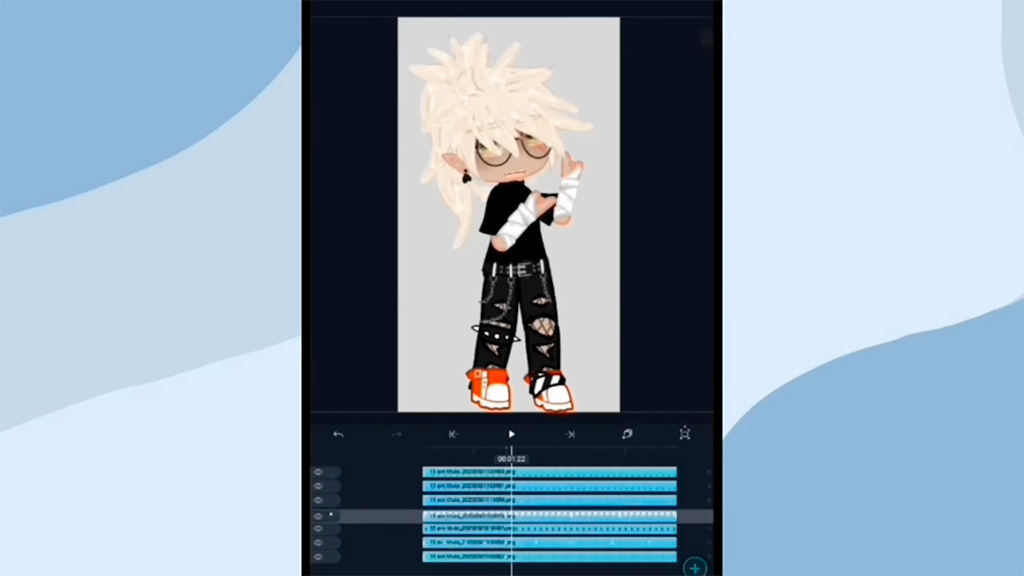
Alight Motion excels in motion graphics creation and complex animations. Its free version includes support for multiple layers of video, audio and images, as well as keyframe animations and hundreds of visual effects, such as motion blur. However, many advanced features, including some premium effects, are locked behind a subscription.
VN Video Editor, on the other hand, provides a wide range of free tools, including transitions, filters, colour adjustments, and multi-track editing. While it doesn’t match Alight Motion in advanced animation, its effects and template library are more accessible at no extra cost.
Highlight: Key Tools
- Alight Motion: Keyframe animations, multi-layer support, particle effects.
- VN Video Editor: Dynamic transitions, colour adjustments, preset templates.
Integration and Workflow
In an environment where creators work with multiple apps and platforms, integration with other tools and efficient workflow are essential. Here we examine how Alight Motion and VN Video Editor meet these needs in 2025.
Alight Motion offers limited integration in its free version, but allows asset imports from apps like Adobe Creative Cloud or Canva if you have premium subscriptions. Its workflow is ideal for projects requiring detailed animations, as it supports exports in formats compatible with desktop software. However, the lack of free cloud storage can make accessing projects across devices more difficult. VN Video Editor, by contrast, excels in social media integration, allowing direct exports to YouTube, TikTok and Instagram without watermarks. It also supports cloud storage, making collaboration and cross-platform work easier—streamlining the workflow for dynamic content creators. In terms of search trends, VN seems more aligned with the demand for apps that optimise quick social media publishing.
Export and Output Quality
The ability to export videos in high quality, such as 4K, is a key deciding factor for many users. In this section, we compare each app’s export options, focusing on what’s available for free.
Alight Motion allows video export in formats such as MP4 and GIF in its free version, but with notable limitations: exported videos include a watermark and the maximum resolution is capped at 1080p. 4K export and watermark removal require a subscription.
VN Video Editor clearly comes out on top here, as it allows 4K video exports without watermarks in its free version—a rare feature among mobile editing apps. Moreover, VN offers preset configurations for platforms like Instagram and TikTok, optimising output quality for social media.
Export Note
VN Video Editor is one of the few free apps that doesn’t impose watermarks, making it ideal for creators seeking professional results at no cost.
Start Editing: Download Links
Ready to try Alight Motion or VN Video Editor? Both apps are available for iOS and Android, and you can download them directly from the official stores. Below, we provide the links so you can start editing videos right from your phone.
Alight Motion
VN Video Editor
📥 If you are looking for the full-featured AM pro version with all features unlocked and free, you can download the Alight Motion Mod APK directly with one click.
Looking for the APK files?
If you prefer to install the apps using a free APK file that’s compatible with your device, we’ve prepared a section with safe and up-to-date links.
Final Verdict
After thoroughly testing Alight Motion and VN Video Editor, it's clear that both have their merits, but if you're truly into creative editing, Alight Motion takes the crown. It's not just another editing app: it's a powerful tool designed for those who want to take their videos to the next level with animations, motion graphics, and visual effects that genuinely make a difference.
Yes, the free version has its limits — watermark and resolution up to 1080p — but what it offers in return is an arsenal of features that few rivals can match. If you enjoy experimenting, creating from scratch, and giving each video your unique touch, this is your app. It's perfect for visual designers, motion graphers, or any creator who wants more than just cutting and pasting clips. Plus, if you're looking for the Freemium Version of the app, download it from the link above.
VN Video Editor is also a solid choice, especially if you're after something quick, simple, and hassle-free. It offers 4K export without payment and works great for editing lightweight content for social media. But if you really want to stand out, Alight Motion is the tool that will truly let you shine.
In 2025, with so many editing apps out there, choosing Alight Motion means choosing limitless creativity. Download it, explore its possibilities, and start creating videos that don’t just look good, but tell a story with their own style.
Leave a Reply